We’re excited to share a new update for your Contentful Integration that gives you more granular control over your localization workflow!
You can now precisely define which Contentful Content Types are included in the import process, ensuring you only spend time and resources on content that truly needs translation.
What’s New?
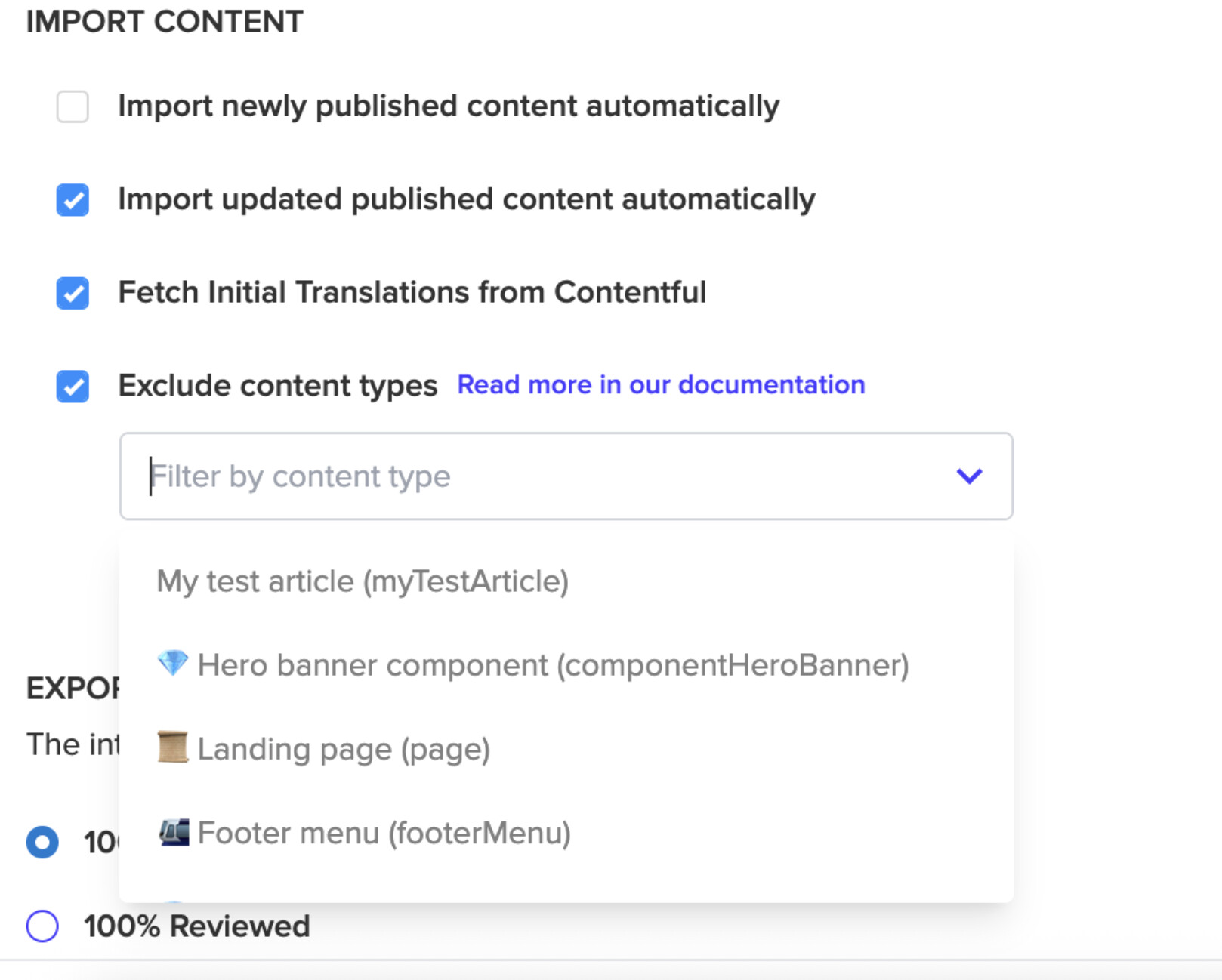
Previously, all Content Type components were imported, which sometimes included technical or structural content that didn’t require localization. Now, you have the option to exclude specific Content Types right from your import settings.
 Why is this important?
This new capability allows you to streamline your content pipeline by:
- Focusing Localization: Only localize the parts you need, saving on translation costs and speeding up project completion.
- Excluding Reference Content: Easily skip over Content Types that are referenced by other localized content but do not require direct translation themselves (e.g., configuration types, internal metadata, or simple assets).
- Maintaining Visibility: A warning will appear in the Activity Log, providing a clear overview of content that has been excluded from the import.
 How to Set it Up
Configuring this feature is simple and managed directly within your Contentful Import Settings on Content Synchronization tab:


See more details here on the relevant documentation.